How to Overclock RAM: Complete Beginner Guide
Introduction
Overclocking RAM can significantly enhance your computer’s performance if done correctly. For gamers, content creators, and multitasking professionals, understanding how to overclock RAM offers a way to boost speed without investing in new hardware. This process allows your system to handle demanding applications more efficiently while improving overall responsiveness. Learning how to overclock RAM safely requires knowledge of the correct procedures, voltage settings, and stability tests. With patience and careful planning, anyone can optimize RAM performance while avoiding risks.
Basics of RAM Overclocking
RAM overclocking involves increasing the memory frequency beyond its default speed to achieve better performance. Key concepts include DRAM frequency, memory timings, CAS latency, and voltage. Many modern RAM modules come with XMP profiles that make overclocking simpler for beginners. Using an XMP profile allows you to enable higher speeds automatically, while manual tuning gives more control for advanced users. Understanding these fundamentals is essential before attempting any overclocking.
Why Overclock RAM? Benefits and Use Cases
Overclocking RAM provides measurable improvements in system performance. Gamers often see higher frame rates in video games, while professionals working with video editing or rendering software benefit from faster load times and improved multitasking. Overclocking RAM can also optimize memory performance for high-demand applications. By adjusting frequency and timings, you can increase the efficiency of your system without buying new components. Learning how to overclock RAM safely ensures these benefits are achieved while minimizing potential issues.
Risks and Precautions
While overclocking RAM can boost system performance, it carries risks. Instability may lead to crashes, blue screens, or even data corruption. Excessive voltage can damage RAM modules or other hardware components, and it may void the manufacturer’s warranty. It is crucial to monitor temperature and voltage during overclocking. Stability testing software such as MemTest86 or Prime95 should be used to ensure the system remains reliable. By following proper precautions, the benefits of RAM overclocking can be achieved without jeopardizing system safety.
Prerequisites for Overclocking
Before overclocking RAM, ensure that your motherboard, CPU, and RAM modules are compatible with higher frequencies. Quality RAM modules handle overclocking more effectively, and good cooling solutions prevent overheating. Always back up your system and note current RAM settings, including frequency, timings, and voltage. Being prepared with the right tools and understanding your system’s limitations helps you overclock RAM safely and efficiently.
Step-by-Step Guide to Overclock RAM
-
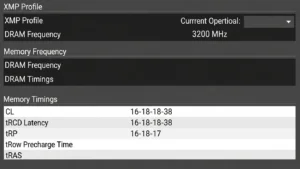
Check Baseline Settings: Use tools such as CPU-Z or HWInfo to find the current RAM frequency, timings, and voltage.
-
Enable XMP Profiles: XMP profiles provide an easy way to increase RAM speed without manually adjusting settings.
-
Manual Tuning: For advanced users, manually adjust frequency, timings, and voltage incrementally. Small adjustments help maintain system stability.
-
Stability Testing: After each change, test system stability using MemTest86 or Prime95. Check for errors and ensure the system remains stable under load.
-
Benchmarking: Compare system performance before and after overclocking using benchmarking software. This confirms improvements in speed and efficiency.
-
Troubleshooting: If instability occurs, reduce frequency or increase voltage carefully. Always revert to safe settings if problems persist.
This step-by-step process ensures that users know how to overclock RAM safely, whether using XMP profiles or manual tuning.
Laptop vs Desktop RAM Overclocking
Overclocking RAM on laptops is more limited compared to desktops due to hardware constraints. Tools like Intel XTU or AMD Ryzen Master can help adjust RAM frequency safely on laptops. Proper cooling and thermal management are critical, as laptops have less airflow than desktops. Learning how to overclock RAM in laptops requires extra caution, but performance gains can still be achieved with careful tuning.
Advanced Tips for Optimal Performance
For users seeking maximum efficiency, balancing RAM speed and latency is key. Memory bandwidth optimization ensures that applications benefit fully from higher frequencies. DDR4 and DDR5 RAM modules behave differently, so understanding specific module characteristics helps in achieving the best results. Using benchmarks to monitor improvements ensures that overclocking has a real impact on performance. Additionally, incremental adjustments prevent system instability while allowing safe overclocking.

Common Mistakes to Avoid
Avoid overvolting RAM too quickly and skipping stability tests, as these mistakes can cause instability and data corruption. Ignoring temperature monitoring may lead to hardware damage, and overclocking incompatible modules can create severe problems. Following a structured approach prevents common pitfalls and ensures that RAM overclocking delivers reliable performance improvements.
FAQs
Is RAM overclocking worth it for beginners?
Yes, if done carefully. Using XMP profiles or small manual adjustments allows beginners to improve performance without risking system stability.
Can overclocking RAM damage my system?
Excessive voltage or incorrect timings can damage RAM or other components. Always follow safe overclocking practices and monitor your system closely.
How do I know if my RAM is stable after overclocking?
Use stability testing software such as MemTest86 or Prime95 to ensure there are no errors during load.
How to revert RAM settings safely?
Revert to your motherboard’s default BIOS settings or disable XMP profiles to restore original RAM speeds.
Conclusion
Learning how to overclock RAM is a valuable skill for anyone looking to optimize system performance. By following a structured approach, using XMP profiles or manual tuning, and testing stability, you can enjoy improved speed and responsiveness safely. Patience and careful adjustments are essential to ensure long-term stability. With practice, overclocking RAM becomes an effective way to maximize the potential of your hardware.









Post Comment